How to Use a Budget Planner Step by Step
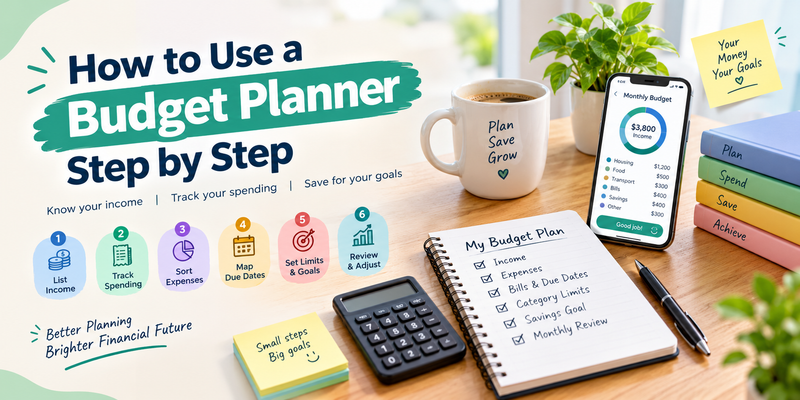
This article walks you through setting up and using a budget planner from scratch, so you know where your money goes and what is left for savings and goals.
Key Takeaways (TL;DR)
A budget planner shows what money comes in, where it goes, and what is left.
Follow six steps: list income, track spending, sort expenses, map due dates, set limits and one goal, then review.
Start with one month of real spending, not guesses.
Update the plan whenever your income or spending changes.
You open your banking app on the 25th and the balance is lower than expected, even though nothing big happened.
A budget planner solves that by showing where every dollar goes. To use a budget planner step by step, list your income, track your spending, sort your bills, set limits, and review the plan each month.
Money pressure is common. In the Federal Reserve’s 2025 household survey, just above 9 in 10 adults called price increases a minor or major concern. Sixteen percent did not pay all of their bills in the prior month.
The steps below follow the order the Consumer Financial Protection Bureau uses in its budgeting guidance: income first, then spending, then bills, then a working budget. They work on paper, in a spreadsheet, or in an app.
What Is a Budget Planner and How Does It Work?
A budget planner is a tool that records your income, groups your expenses into categories, and compares the two so you can plan spending and saving. It can be paper, a spreadsheet, or an app. The goal is a monthly plan where income covers expenses and your goals.
The math is simple: income minus expenses equals what is left. A planner turns that into a category view, so you can see which areas are growing before the month ends.
How to Use a Budget Planner Step by Step
Use a budget planner in six steps: list all income, track real spending, sort fixed and variable expenses, map bill due dates, set category limits and one savings goal, then review and adjust each month. Start with one month of actual numbers instead of estimates.
Step 1: List All Your Income
Write down every source: paychecks, side work, child support, and government benefits. The CFPB notes that all of these count toward what you have available for living expenses.
Use take-home pay, not gross pay. If your income varies, use a conservative average of recent months.
Step 2: Track Your Spending for a Full Month
Pull your recent bank and card statements and log each purchase by category, such as housing, utilities, groceries, dining out, and entertainment. Memory leaves out small purchases, so work from statements.
If a full month feels like too much, the CFPB suggests starting with one week at a time. It also recommends logging small daily buys like coffee or lunch, since they add up.
Step 3: Sort Fixed and Variable Expenses
Fixed expenses stay the same each month, such as rent, loan payments, and insurance. Variable expenses change, such as groceries, gas, dining out, and some utilities.
Add costs that are not monthly. A $600 yearly premium becomes $50 a month in your planner, so it never arrives as a surprise.
Step 4: Map Your Due Dates
List every bill with its due date, then compare those dates with your paydays. The CFPB points out that coming up short at month end can come from timing, where bills land before income does.
If a due date falls the day before payday, ask the provider whether it can move. Bon Credit also offers payment reminders before due dates.
Step 5: Set Category Limits and One Goal
Use last month’s real spending as your starting limit for each variable category. Then trim the category you are most willing to cut.
Pick one goal, such as a starter emergency fund or an extra debt payment. The CFPB recommends having an end goal to work toward, because it makes the plan easier to keep.
If you want to automate this process, learn more about how an AI budget planner works, what it costs, and how to choose one in 2026.
Step 6: Balance the Plan, Then Review It
Add your fixed expenses, variable limits, and savings goal. Subtract the total from your income. If the result is below zero, trim variable categories first.
Here is an illustrative example, not a recommendation for your numbers:
Give the leftover $200 a job, such as debt or a buffer category. Check the plan briefly each week, and update it after any change in income or spending.
Paper, Spreadsheet, or AI Budget Planner: Which Should You Use?
Any format works if you use it every week. Paper is simple but manual, spreadsheets add formulas but still need data entry, and an AI budget planner can pull transactions from linked accounts and sort them for you. Pick the one you will actually open.
Common Budget Planner Mistakes and How to Fix Them
The most common mistakes are guessing instead of tracking, leaving out irregular bills, setting limits too tight to keep, and never reviewing. Fix them with real statements, yearly costs divided by twelve, a small buffer category, and a fixed weekly review time.
Guessing your spending. Use statements, not memory.
Skipping irregular bills. Divide yearly costs by twelve and include them every month.
Limits that are too tight. A plan you break by day ten teaches nothing. Add a small buffer line.
Forgetting recurring charges. Review subscriptions each month and cancel what you no longer use.
Never reviewing. A planner only works if you update it as your life changes.
How Does an AI Budget Planner Like Bon Credit Work?
Bon Credit is an AI-powered financial assistant that links your bank accounts and cards, tracks your spending automatically, and builds a budget that fits your life. You review the plan instead of entering every transaction by hand. It is free to download.
Linking accounts covers Steps 1 and 2 of this guide. Bon Credit connects through Plaid, which supports more than 10,000 financial institutions. You need to link an account to get automatic insights and recommendations.
The AI budget planner builds a budget around your real spending, and credit card spend analysis shows where card money goes. Bon Credit also scans for duplicate subscriptions and unused recurring payments, which supports the fix for forgotten charges above. Results vary by person.
Frequently Asked Questions
How do I make a monthly budget for beginners?
List your take-home income, track one month of real spending by category, separate fixed and variable expenses, then set limits so income covers expenses and one savings goal. Review it weekly and adjust.
How often should I update my budget planner?
Check it briefly each week and reset it each month. Update it right away when your income, bills, or spending habits change, since the plan only works while it matches reality.
What if my expenses are higher than my income?
First check whether bill timing is the problem. Then trim variable categories such as dining out and subscriptions, and look for ways to raise income. Repeat until the plan balances.
Is a budget planner app better than a spreadsheet?
Neither is better for everyone. A spreadsheet gives you full control but needs manual entry. An app imports transactions automatically but requires linking accounts. Choose the one you will keep using.
What categories should a budget planner include?
Start with housing, utilities, groceries, transportation, insurance, debt payments, dining out, entertainment, savings, and an other category for irregular costs. Rename or split categories as your spending data shows what matters.
Start With One Month of Real Numbers
A budget planner works when it runs on real income, real spending, and a review habit. List your income, track a month of spending, set limits, and adjust. The first month teaches you more than any estimate.
Bon Credit can handle the tracking so you can focus on the decisions. If you have questions about how it works, contact the Bon Credit team.

Samder Khangarot
Samder Khangarot is the CEO and co-founder of Bon Credit, a free AI that helps people find money, pay off debt, and build credit. He is a Stanford Graduate School of Business alum.